text
Creates a text box.
Syntax
-
text(x, s)-
xis a two-dimensional real vector -
sis a string
-
Description
text(x, s) creates a text box with its top-left corner at x and with text s.
The text box is shown in the current diagram and a reference to the object is returned.
The visual properties of the object can be changed using the AdjustVisual function.
Examples
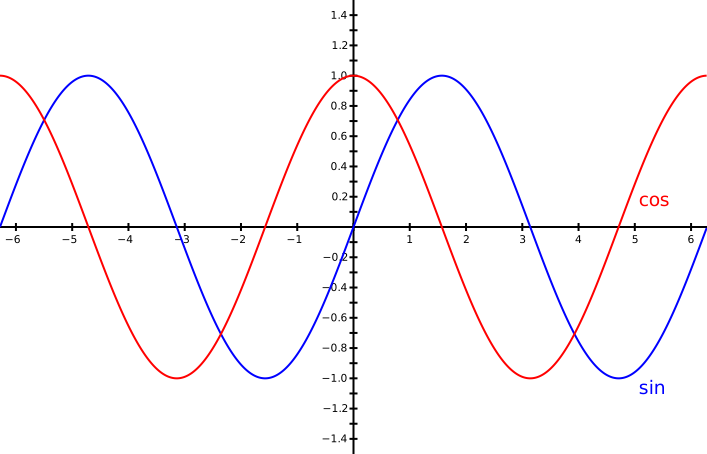
d ≔ diagram("trig");
AdjustVisual(d.view, "xmin": −2⋅π, "xmax": 2⋅π, "ymin": −1.5, "ymax": 1.5);
s ≔ LinePlot(graph(sin, −2⋅π, 2⋅π));
c ≔ LinePlot(graph(cos, −2⋅π, 2⋅π));
AdjustVisual(s, "line color": "blue");
AdjustVisual(c, "line color": "red");
st ≔ text(❨5, sin(5)❩, "sin");
ct ≔ text(❨5, cos(5)❩, "cos");
AdjustVisual(st, "text color": "blue");
AdjustVisual(ct, "text color": "red");