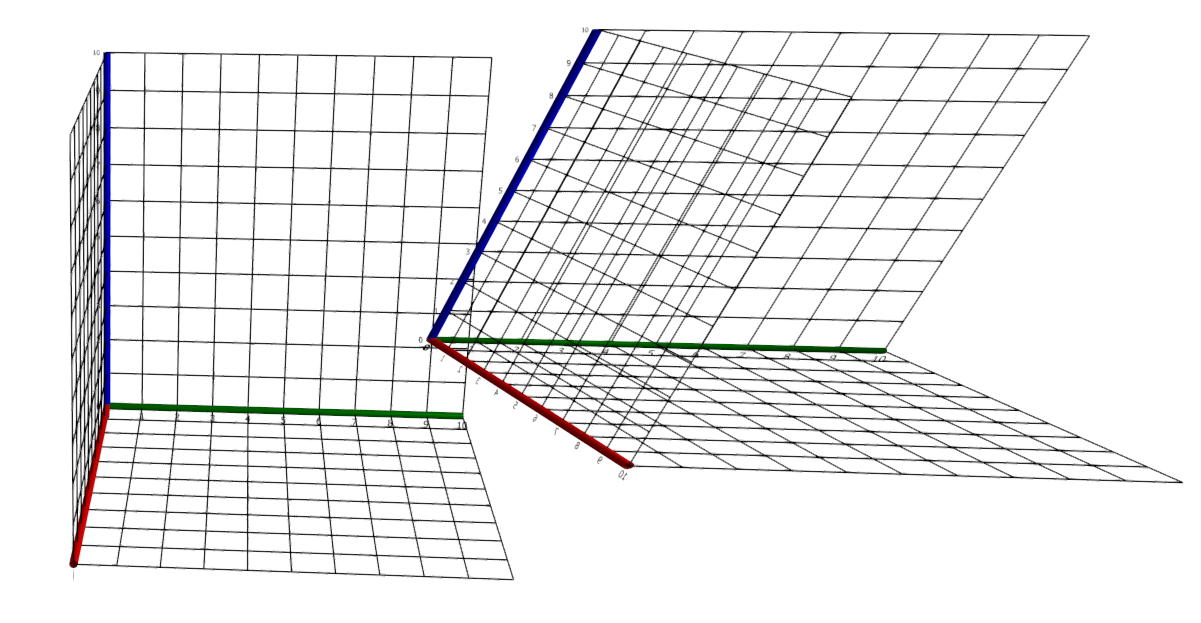
CoordinateAxes
Creates a new set of coordinate axes in the current 3D scene.
Syntax
-
CoordinateAxes([a[, u[, v[, w]]]])-
ais a three-dimensional real vector -
uis a three-dimensional real vector -
vis a three-dimensional real vector -
wis a three-dimensional real vector
-
Description
CoordinateAxes(a, u, v, w) creates a new set of three coordinate axes in the current 3D scene, effectively introducing a new coordinate system in it.
The origin of the new system is located at a and the three axes are given by u, v, and w.
u, v, and w need not be of the same length and need not be pairwise orthogonal.
If omitted, a defaults to ❨0, 0, 0❩, u to ❨1, 0, 0❩, v to ❨0, 1, 0❩, and w to ❨0, 0, 1❩.
The object is shown in the current scene and a reference to the object is returned.
The AdjustVisual function can be used to adjust the appearance of the new axes. See Visual settings for a list of applicable settings.
Examples
CoordinateAxes(❨8, 8, 5❩, ❨.7, .3, 0❩, ❨0, 1, 0❩, ❨0, .3, .7❩)